


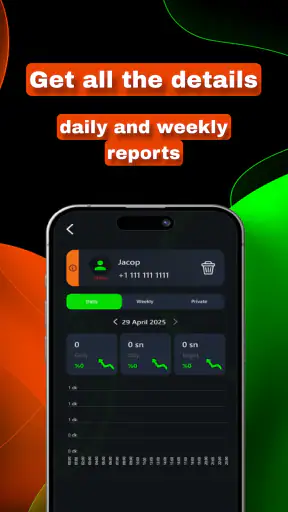
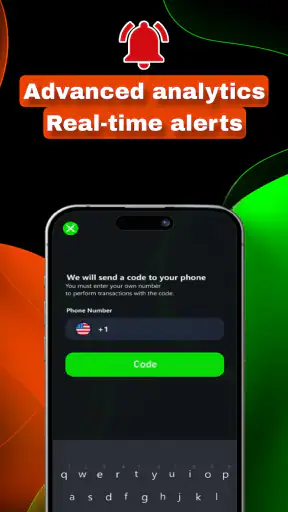


SinLog WA Tracker is a tools app from Findy360 Software LLC that takes a very specific approach to family digital habits. Its short store description, “SinLog WA Tracker,” is less informative than its longer promise: it is designed to help parents keep children’s habits under control. After spending time with it, my overall impression is that it is best understood as a focused monitoring companion rather than a complete family-management system.
That distinction matters. Parents often expect one app to handle screen-time limits, location, communication, content filters, and activity reports all at once. SinLog WA Tracker is aimed more narrowly at observing habits connected with WhatsApp use. If that is the behavior you want to understand, the focused design can feel easier to approach than a large parental-control suite. If you need broad device management, however, you may find its scope restrictive.
How SinLog WA Tracker feels in everyday use
Speed expectations before you rely on it
My first expectation with an app like this is not flashy animation or a long list of settings. I want it to open without fuss, present information clearly, and avoid making me repeat the same steps every time I check a family habit. SinLog WA Tracker feels built around that practical purpose. Its identity as a lightweight tools app suggests a direct experience rather than a crowded dashboard packed with unrelated controls.
That simplicity is useful when I am checking something quickly between ordinary tasks. A parent does not always want to begin a long session. Sometimes the real need is a short look at a pattern, followed by a conversation at home. A focused tracker can support that routine better than a broad parental-control product that requires navigating several categories before reaching the relevant information.
There is also a trade-off. A narrow app can seem fast because it asks less of the user, but that does not automatically make it the best choice for every household. Speed is only valuable when the information answers the question I actually have. If my concern is late-night messaging, WhatsApp activity may be relevant. If my concern is games, browser content, or total device time, I would need a wider solution instead of expecting this app to cover everything.
The app is free to install, which makes trying its basic experience less of a financial commitment. Optional in-app purchases range from $1.99 to $19.99 per item, so I would approach any upgrade carefully and decide whether the additional value matches my specific monitoring needs. I would not pay simply because the app has a focused name; I would first use the free experience long enough to understand whether its information is useful in my family routine.
What happens during a realistic family routine
Imagine a school night when a child says they have finished their homework, but the phone keeps drawing attention. I would not use a tracker as a substitute for asking questions. Instead, I would check the available activity picture, compare it with the agreed household routine, and then discuss what happened. That workflow is more constructive than treating one screen as proof of wrongdoing.
This is one of the app’s more practical strengths: it can give a conversation a concrete starting point. Rather than saying, “You are always on your phone,” I can talk about a particular habit and ask whether there is a reasonable explanation. A message from a class group, a family conversation, or an urgent situation may look different from casual scrolling, but the broader lesson is the same: activity information needs context.
I would also set expectations with the child before using it. Secret monitoring may create a short-term sense of control while damaging trust later. A clear family agreement about what is being checked, why it is being checked, and when the arrangement will be reviewed makes the tool easier to use responsibly. SinLog WA Tracker can support that agreement, but it cannot create healthy communication by itself.
Heavy-use moments and practical friction
The most demanding moments are likely to come when I check repeatedly, manage more than one family situation, or expect a complete picture immediately. A tracker becomes less convenient when the parent’s questions expand beyond its central purpose. I might begin by checking messaging habits and then want screen-time limits, app blocking, location, or web filtering. At that point, the focused nature that initially felt refreshing may become a limitation.
Another friction point is interpretation. Monitoring information is only helpful when it is timely and understandable. If I have to stare at a record without knowing what it means in context, the app may encourage worry rather than clarity. The best use is to look for patterns over time, not to react dramatically to one isolated moment.
For heavy family use, I would keep the workflow simple. Decide what question I am trying to answer, check only the relevant information, make a note of a repeated pattern, and then close the app. This avoids turning the tool into a constant surveillance habit. It also reduces the chance that every notification or activity change becomes a new argument.
A useful, less obvious tip is to agree on review windows instead of checking continuously. For example, a parent might review habits at a calm time in the evening and use the result during a weekly family conversation. That approach gives the information a purpose and prevents the app from taking over the household routine.
Reliability is more than an app opening
When I judge reliability, I look beyond whether an app launches. A dependable monitoring tool should fit into a repeatable routine, present information consistently enough to support decisions, and recover gracefully when something interrupts the process. SinLog WA Tracker benefits from being a focused utility, because fewer unrelated functions can make the main purpose easier to remember.
Still, I would not treat any tracker as an unquestionable authority. Messaging habits can be misunderstood, and a record may not explain why an activity occurred. Before taking action, I would compare what I see with the child’s account and with the family rules already in place. That is not a weakness unique to this app; it is a basic limitation of turning digital behavior into a simple summary.
Recovery is especially important in a family setting. If I have not checked the app for several days, I want to return without feeling that I must reconstruct everything from memory. My practical advice is to use a consistent review habit and keep expectations modest. A tracker is easier to recover from when it supports a regular conversation rather than being used only after a crisis.
The app’s public reception is encouraging but should be read in proportion. It holds a 4.4 average from around 75 thousand ratings, with more than 1 million installs. Those figures show that many people have tried it and that the general response is positive, but they do not guarantee that the app will suit every family or every phone. A monitoring tool is highly dependent on the parent’s goal, the child’s device setup, and the household’s approach to privacy.
Resource demands and device constraints
SinLog WA Tracker supports devices running Android 7.0 or later, which keeps it accessible to people using older Android hardware as well as newer phones. That broad compatibility is helpful for families who do not replace devices frequently. It also means I would not assume that every supported phone will feel identical; older hardware may handle any app less comfortably than a recent device.
Because this is a tools app rather than a visually intensive game, I would expect its everyday demands to be more modest than those of apps built around video, 3D graphics, or constant media playback. Even so, monitoring utilities can depend on regular background activity or communication with another device, and those processes may affect the experience depending on the phone and its settings. I would pay attention to battery behavior and general responsiveness during the first few days instead of assuming that all Android devices will behave the same way.
There is a practical device-management point that is easy to overlook: a parent should make sure the phone running the app is itself secure. A strong device lock, careful account management, and a private place for reviewing sensitive information are just as important as installing the tracker. The app may be intended for family oversight, but the information it presents should not be casually visible to other people.
I would also avoid installing it on a phone that is already struggling with storage or performance without first cleaning up unnecessary apps. The goal is to observe a child’s habits, not to introduce another source of confusion when the parent’s own device is slow. Starting with a stable phone makes it easier to decide whether any inconvenience comes from the app or from the device.
Where it compares well with usual alternatives
The usual alternatives fall into two groups. The first is a full parental-control suite that combines screen-time schedules, content restrictions, location tools, and reports. Those products are better when a family wants one broad system with many controls. Their disadvantage is complexity: setup can take longer, the interface may feel crowded, and parents may spend more time configuring rules than discussing habits.
The second alternative is doing nothing beyond checking the child’s phone directly. That can be simpler and more transparent, but it is also less structured. A direct conversation may reveal context that a tracker cannot, while a focused utility can make repeated observations easier to organize. In my view, SinLog WA Tracker sits between those options: more structured than an occasional manual check, but less comprehensive than a complete parental-control platform.
That middle position is its clearest reason to exist. I would recommend it to a parent whose concern is specifically WhatsApp-related habits and who wants a focused tool without immediately adopting a large family-management ecosystem. I would skip it if the main requirement is to control the entire phone, especially when the family needs detailed schedules, broad content filtering, or several kinds of device restrictions in one place.
A further trade-off involves trust. A broad parental-control product may make its rules visible through limits and schedules, while a tracker can feel more observational. Families that prefer clear, jointly agreed boundaries may be happier with controls the child can understand directly. Families that first need a clearer picture of a recurring messaging habit may value the observational approach, provided it is used openly and respectfully.
Who will get the most from it
I see the strongest fit for parents who want a dedicated tool for understanding a child’s WhatsApp habits without turning every digital concern into a full technical project. It may also suit a household that already has other arrangements for screen time or device rules and only needs a narrower layer of visibility.
It is less suitable for parents who want instant certainty, automatic parenting decisions, or a single app that manages every aspect of a child’s phone. It is also a poor match for anyone who plans to use activity information as a replacement for communication. No tracker can distinguish every harmless situation from every concerning one without human judgment.
Before installing, I would answer three questions. What exact habit am I trying to understand? How will I explain the arrangement to my child? What action will I take if I see a repeated concern? If I cannot answer those questions, adding a monitoring app may only increase anxiety. If I can answer them, a focused utility is more likely to become useful rather than intrusive.
Version, cost, and the decision to keep it
The current version is 26, and the app was released on Aug 4, 2025. I mention that because a relatively recent tool deserves a short trial period in the real household environment rather than an instant long-term commitment. I would test the setup, observe how clearly the information fits my needs, and then decide whether it belongs in the family’s regular routine.
The Everyone content rating makes the app broadly approachable from a store perspective, but that does not remove the need for adult judgment. The important question is not whether the app is generally suitable for all ages; it is whether the way a particular parent uses monitoring information is fair, proportionate, and understandable within that family.
The free entry point is convenient, while the paid items mean I would examine the upgrade path before spending money. I would look for a direct connection between an extra purchase and a real problem I am trying to solve. If the free experience already answers my question, paying more may not improve the family routine. If the app’s useful information depends on a paid option, I would compare that cost with a broader parental-control alternative before committing.
My performance verdict is therefore measured rather than absolute. SinLog WA Tracker is most convincing as a focused, low-friction habit-monitoring tool, not as a complete replacement for parental controls or honest family conversations. Its concentrated purpose can make routine checks easier, and its broad Android compatibility lowers the barrier for families with older phones. The same focus limits its usefulness when the problem extends beyond WhatsApp behavior.
I would recommend giving it a careful trial to parents who have a specific messaging-related concern, a clear agreement with their child, and the patience to interpret patterns instead of reacting to isolated activity. I would recommend choosing a broader alternative to anyone who needs device-wide restrictions or a single dashboard for many kinds of supervision. Used with restraint, SinLog WA Tracker can add structure to a difficult conversation; used as a substitute for trust and judgment, it is unlikely to solve the underlying problem.


